Hilvec's Webflow development services cover the whole project, from workshop and wireframes, through the Webflow build, to support after launch. As a Webflow Certified Partner, we build websites your team can grow on its own: no developer needed and no risk that a text change breaks the layout.
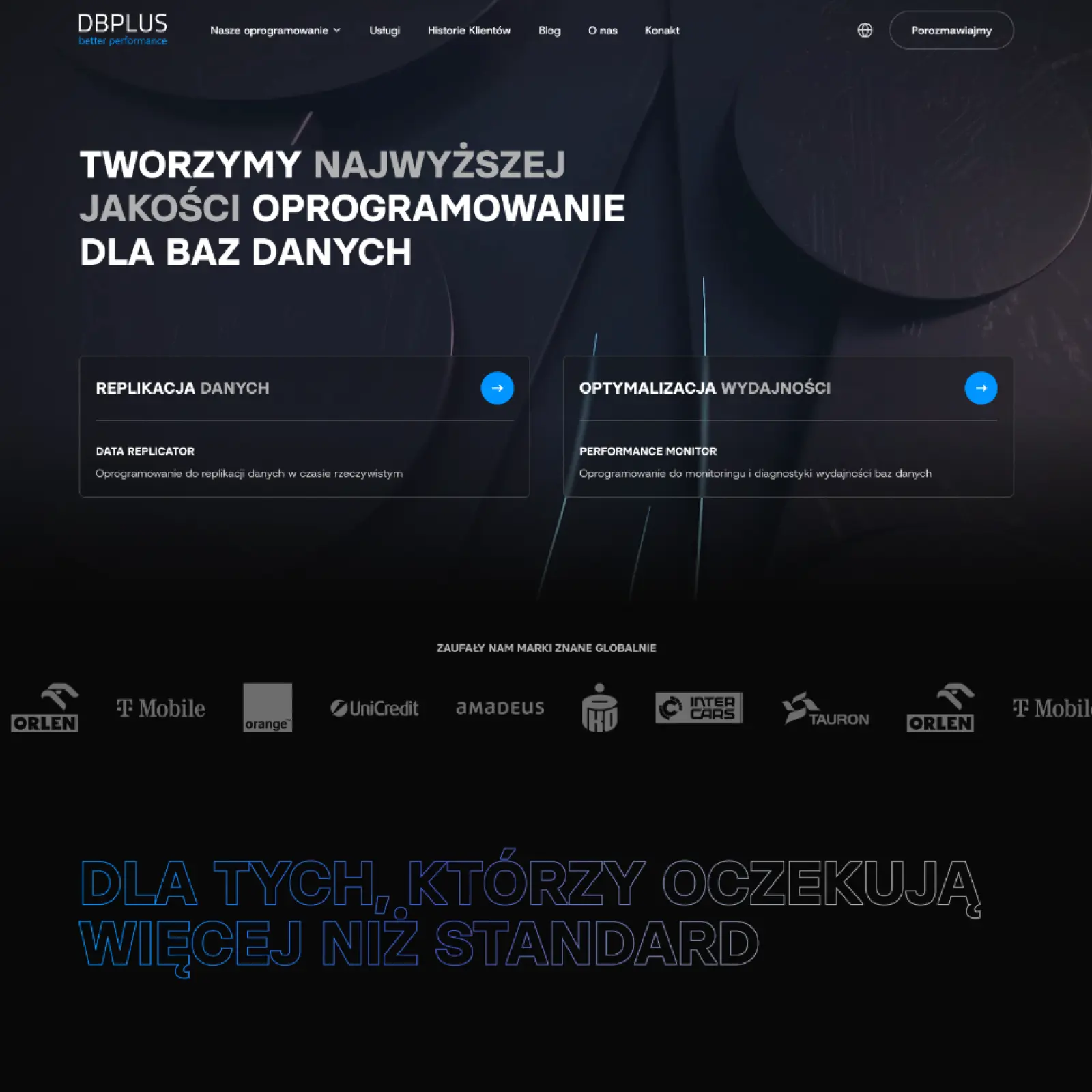
In Webflow we build company websites with a blog and case studies, product sites for technology companies, product catalogs and campaign landing pages. One example is the website of DBPLUS, a maker of database monitoring and replication software: it runs in several language versions, and the client's team adds new content without a developer.
An online store with a large catalog and checkout is better built on Shopify, which we handle as a separate service: Shopify development.

In the workshop we define who the website speaks to and what a visitor should do there: send an inquiry, download an offer or book a demo. We also review competitors' websites and your Google Analytics data if you already have a site. Based on that, we prepare a sitemap with a list of pages and sections, plus a list of content to prepare. The same map is broken down into sections in the quote, so from day one you know what will be built and what it costs.
Every website is designed from scratch, without a ready-made template. First we lay out content and user paths on wireframes, then we design the visual layer in line with your brand identity, separately for desktop and mobile, as in every UX/UI design project we run. On request, we also check the site against the WCAG accessibility guidelines.
We build the site in Webflow from the approved design, with animations only where they help explain the offer. Repeating sections are saved as components, so new pages are built faster and stay consistent. Blog posts, case studies, job openings or products live in Webflow CMS collections with fields for title, image, body and Google description, so a new entry looks exactly like the design. Forms connect to your inbox or the tools you use, such as a CRM, and analytics to Google Analytics.
Before launch, every page gets its own title and description for Google, a clean URL and image descriptions, and service and FAQ pages also get structured data. Images are compressed and saved as WebP and AVIF so the site loads fast on mobile too. On our blog we show how to run SEO in Webflow after launch.
We move a WordPress site together with its content: blog posts, categories and images are imported into CMS collections. Before launch we check which pages and articles bring the most traffic, and if their URL changes, we set a 301 redirect to the new one so they keep their Google rankings. After launch we watch Google Search Console to confirm the new URLs are indexed.
If you are still comparing the two platforms, we cover the differences in our post WordPress or Webflow.
Each language version has its own URL in Webflow, such as /en/, translated Google descriptions and hreflang tags, so search engines show visitors the right language. This requires the paid Webflow Localization add-on to your site plan. The Hilvec website you are reading runs in two languages this way.
At the end of the project we train the people who will run the site in the Webflow Editor and CMS. New pages and sections, as well as UX and SEO improvements, are handled later under a monthly support plan. Who we are and how we work with clients is on our Webflow agency page.
What you get when your website runs on Webflow.
Your website runs on Amazon Web Services infrastructure. No separate hosting to buy, no server to look after and no worries about a traffic spike after a campaign.

Site files reach each visitor from the nearest CDN server. Together with clean code and compressed images, this delivers good Core Web Vitals scores, which Google takes into account.

Blog posts, case studies or job openings are collections with fields: you enter a title, an image and the text, and the site lays them out according to the design. A new entry will not break your page.

Webflow develops the platform on its side. You do not install plugins, run updates or check after each one whether the site still works.
An SSL certificate, automatic backups with the option to restore an earlier version, and two-factor login are part of Webflow hosting.

Websites running on Webflow include Dropbox Sign, Discord, Monday.com, The New York Times and Spotify.
We build the site in the Hilvec account and, once it is live, transfer it to your company's account together with hosting. From that day you log in to Webflow as you would to any tool you own, and we come back whenever you need us.
A Webflow website with components and CMS collections, the visual design in Figma, owner access to the Webflow account, Google Analytics and Search Console connected, and a team trained to run the site. No files on our server and no plugins that stop working when the engagement ends.
We transfer the Webflow account to your company after launch: the site, its code and the hosting are yours, and anyone you give access to can keep building on it.
Usually one of three situations. A brand after a rebrand whose old website no longer matches the new logo and colors. A manufacturer with a PDF catalog whose sales team wants to send customers a link to a product instead of a ten-megabyte file. A company entering a foreign market that needs a site in two or three languages, run from one admin. In each case we start with the same question: what should a visitor do on the site, and who will run it after launch?
A company website usually means eight to fifteen pages: services, case studies, about, contact and a blog in the CMS. A product site, for example for a software product, adds pricing, documentation in a CMS collection and a demo request form. A campaign landing page is a single page with a form that your marketing team can switch on and off without us. We agree on the scope in the workshop and break the quote down by section, so you can see what each one costs.
These are the tools we work with when designing and building Webflow websites, from the first wireframe in Figma to the automations in Make and Zapier.
Webflow Enterprise lets your teams create and manage websites without involving developers. It adds advanced collaboration options, enterprise-level security and the capacity to handle far more traffic.
Webflow website projects at Hilvec start at $7,500. The final price depends on the number of pages and CMS templates, the scope of UX/UI design, integrations with other tools and the number of languages. Every quote is broken down by page section, so you know what you are paying for before we start.
A company website with a dozen or so pages takes about two months at Hilvec, from the workshop to launch. The first half goes to wireframes and visual design, the second to the Webflow build, entering content and testing. What moves the deadline most is the copy and photos on the client's side, so we agree on the list of content at the workshop. A campaign landing page is faster, a multilingual site takes longer.
Yes. You edit text, images and CMS items in the Webflow Editor, which runs in the browser and needs no coding skills. The Editor lets you change content but not the layout, so there is no risk of breaking the design. Layout and new sections are changed in the Designer, which you also have access to as the account owner.
Yes. Webflow lets you control everything that matters to Google: page titles and descriptions, URLs, image alt text, 301 redirects and structured data. Webflow generates the sitemap and SSL certificate automatically, and its CDN hosting helps pages load fast. During the build, we set up these elements for every page.
Hosting is paid directly to Webflow, and the cost depends on the plan. A simple site without a blog runs on the Basic plan at $15 per month, and a site with a blog, case studies or job listings needs the Premium plan at $25 per month (billed yearly, Webflow pricing as of October 2026). Multiple languages require the paid Webflow Localization add-on. We help you choose the plan before launch.
Webflow includes hosting, backups and an SSL certificate in the plan and needs no plugins or plugin updates. WordPress has more ready-made plugins, but it needs separate hosting, and the core and plugins have to be updated regularly to keep the site secure. We recommend Webflow when a site needs to be fast and easy to edit without ongoing developer support, and WordPress when a project depends on a specific plugin Webflow can't replace.
We want to help grow your company no matter where you run it!