

Logging into Shopify should be straightforward. And most of the time, it is. Until you realise you’re trying to sign in to the wrong place.
Some people are looking for the store admin, where products, orders, and settings live. Others just want to access their customer account to check an order or update an address. On the surface, both are “Shopify logins” - but in practice, they’re two completely different entry points.
That’s where confusion starts.
Shopify uses separate login flows depending on who you are and what you’re trying to access. Mixing them up usually leads to error messages, password resets that go nowhere, or the feeling that something is broken - even when everything is working exactly as intended.
In this guide, we’ll walk through:
- where to log in as a store owner or staff member,
- where customers can access their accounts,
- why login issues are so common,
- and what to check before assuming there’s a technical problem.
No documentation jargon. Just clear explanations, step by step.
Logging in to the Shopify Admin (store owners and staff)
If you manage a store on Shopify, the admin panel is where all the real work happens. Products, orders, payments, apps, settings - everything lives there. Customers never see it, and they can’t access it.
That distinction matters, because many login issues start with a simple assumption: that the admin is somehow part of the storefront. It isn’t.
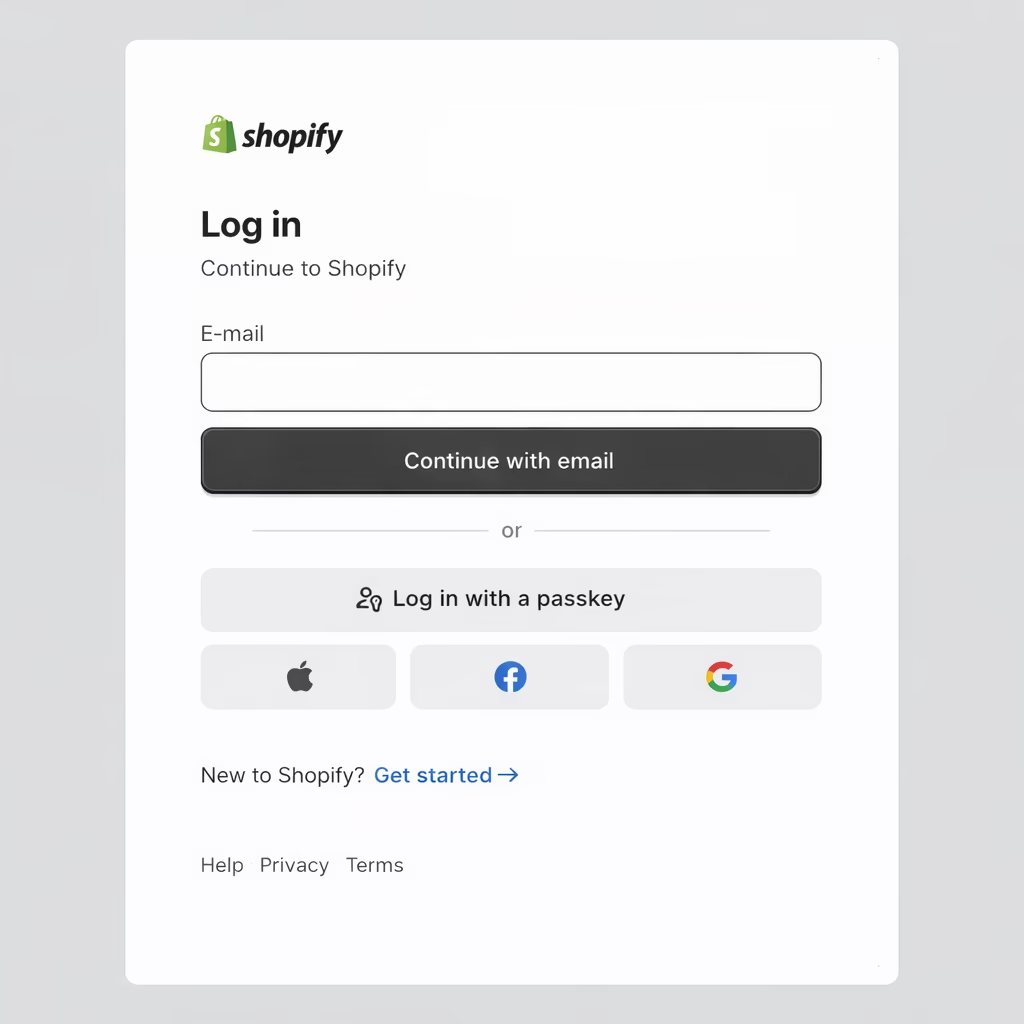
Where to log in to the Shopify admin
There are a few legitimate ways to access the admin panel, depending on your situation.
The most common option is Shopify’s central login page. This is especially useful if you manage more than one store or you’re signing in from a new device. After entering your email and password, Shopify shows you all stores linked to your account and lets you choose the right one.
Another option is logging in directly through your store’s address, by adding /admin at the end of the domain. This works whether you’re using a .myshopify.com address or a custom domain. It’s often the fastest route if you already know the store URL and just want to get to the dashboard without extra steps.
For day-to-day checks, many store owners also use the Shopify mobile app. Once you’re signed in, it gives quick access to orders and basic store data without having to log in again every time.
All three methods lead to the same place. The difference is convenience, not permissions.
Store owner vs staff accounts
This is where people are often caught off guard.
Not everyone who can log in to a Shopify store has the same level of access. The store owner has full control — including payments, user management, and transferring ownership. Staff accounts are more limited and only see what they’ve been allowed to see.
So if logging in works, but certain settings are missing or actions are blocked, it’s usually not a bug. It’s an access level issue.
That’s intentional. Shopify treats permissions seriously, especially in stores with multiple collaborators, agencies, or freelancers involved.
A common mistake that looks like a login error
One of the most frequent problems has nothing to do with passwords.
People try to sign in to the Shopify admin using:
- a customer login form on the storefront, or
- a random login page found via search.
The result is predictable: an error message and the impression that something is broken. In reality, the system is doing exactly what it should. It’s just the wrong door.
Next, we’ll switch perspectives and look at the other side of the equation: how customer logins work in Shopify, and why many stores don’t offer them at all.
Customer login in Shopify – how it works from the buyer’s side
Customer accounts in Shopify work very differently from the admin panel. And this is where confusion often shows up, especially from the customer’s point of view.

To a shopper, everything looks like “Shopify”. Emails mention Shopify, URLs sometimes include it, and the checkout experience feels unified. But technically, customer login is a separate system with its own rules.
Where customers can log in
If a store offers customer accounts, the login link is usually found:
- in the main navigation,
- in the footer,
- or under a URL ending with
/account.
After signing in, customers can view their order history, manage addresses, and check delivery status. They don’t see any store settings or backend data. This area is strictly limited to their own account.
Most importantly, this login has nothing to do with the Shopify admin, even if the interface feels similar.
Why some stores don’t offer customer login at all
This often surprises users.
In Shopify, customer accounts are optional. Many stores intentionally disable them because:
- they shorten the checkout process,
- reduce friction during purchase,
- and lower cart abandonment rates.
In these cases, customers check out as guests. Order updates are handled entirely via email, and there is no account to log into later. From the user’s perspective, it may feel like something is missing, but from the store’s perspective, it’s a deliberate choice.
“I can’t log in because I don’t have a password”
This is one of the most common complaints store owners hear.
A customer places an order, receives confirmation emails, and assumes an account exists. But in many setups:
- the account is created automatically,
- no password is set,
- access requires a password reset or a magic login link.
From the system’s point of view, everything works as expected. From the customer’s point of view, it feels broken. That gap is usually caused by missing or unclear communication, not a technical issue.
Why people try to “log in to Shopify”
The word Shopify appears in:
- transactional emails,
- checkout pages,
- and sometimes URLs.
For many customers, that’s enough to assume they should log in “to Shopify” itself, instead of the specific store they bought from. The result is almost always an error message.
In reality, the problem isn’t the login, it’s the assumption behind it.
Common Shopify login problems and what usually causes them
When logging in does not work, it is tempting to assume something is broken. In reality, Shopify outages are rare. Most login issues come down to small, very human mistakes.
The good news is that many of them can be fixed in minutes, without contacting support or changing anything technical.
Logging in to the wrong place
This is by far the most common issue.
Store owners try to sign in through a customer login form. Customers end up on an admin login page. Both screens look official, so the confusion feels justified.
Shopify responds correctly, but the user only sees an error message. From their point of view, the login failed. From the system’s point of view, the wrong door was used.
Before resetting passwords or checking settings, it is worth asking one simple question. Am I trying to log in to the right type of account?
The login works, but access is limited
This situation appears often in stores with multiple people involved.
You can sign in successfully, but:
- some settings are missing,
- certain actions are blocked,
- parts of the admin are not visible.
In most cases, this has nothing to do with a bug. It means the account has limited permissions. Staff accounts only see what the store owner allows them to see.
From a security perspective, this is exactly how it should work.
Password reset emails that never arrive
This problem feels technical, but it usually is not.
Before requesting another reset, it helps to check:
- whether the email address is correct,
- whether the message landed in spam,
- whether the reset applies to the right type of account.
For customer accounts, there is one extra detail that often causes confusion. In many stores, the account exists but never had a password set. In that case, the reset flow is not fixing anything. It is creating access for the first time.
“It worked yesterday”
This phrase shows up more often than you might expect.
Most of the time, it means something changed in the background. A password update, revoked access, a different Google or Apple account, or even a change in store ownership.
Shopify treats access control seriously. What looks like a sudden problem is often a deliberate security decision.
Login security in Shopify and what is worth setting up
Login is not just about convenience. It is the gateway to orders, customer data, and payments. That is why Shopify enforces certain security rules, even if they feel strict at first.
Two-factor authentication
If you manage a store, two-factor authentication is worth enabling.
It adds an extra step during login, but it significantly reduces the risk of account takeover. After a short adjustment period, most people stop noticing it. The added protection remains.
Managing staff access
Over time, access to a store tends to grow. Agencies, freelancers, temporary collaborators. Everyone gets added for a reason. Fewer people remember to remove access later.
A simple rule helps:
- give only the permissions that are needed,
- remove access when it is no longer required,
- review the user list from time to time.
This is not about distrust. It is about clarity.
When login issues point to a bigger problem
If login problems keep coming back, it is usually a sign of something deeper.
Unclear ownership, too many active users, shared credentials, or recurring customer confusion all point to the same thing. The store’s access structure needs a cleanup.
Fixing that once is easier than dealing with login issues every few weeks.
Summary
Shopify login issues are rarely caused by technical failures. In most cases, they come down to confusion about where to log in and what kind of account is being used.
The Shopify admin and customer accounts serve very different purposes. One is built for running a store, the other for managing individual orders. When those two are mixed up, error messages and failed logins are almost inevitable, even though the system itself is working correctly.
Many access problems also have little to do with passwords. Limited permissions, removed staff access, or customer accounts that never had a password in the first place are far more common causes than people expect. Once you know what to check, these issues are usually quick to resolve.
Clear access rules and basic security practices make a real difference. When it is obvious who logs in where and why, Shopify becomes predictable and easy to work with instead of frustrating.
If login problems keep coming back, it is often a sign that store access needs to be reviewed and simplified. Fixing that once is usually enough to prevent the same issues from resurfacing again and again.
Related articles